The Need for Prototypes
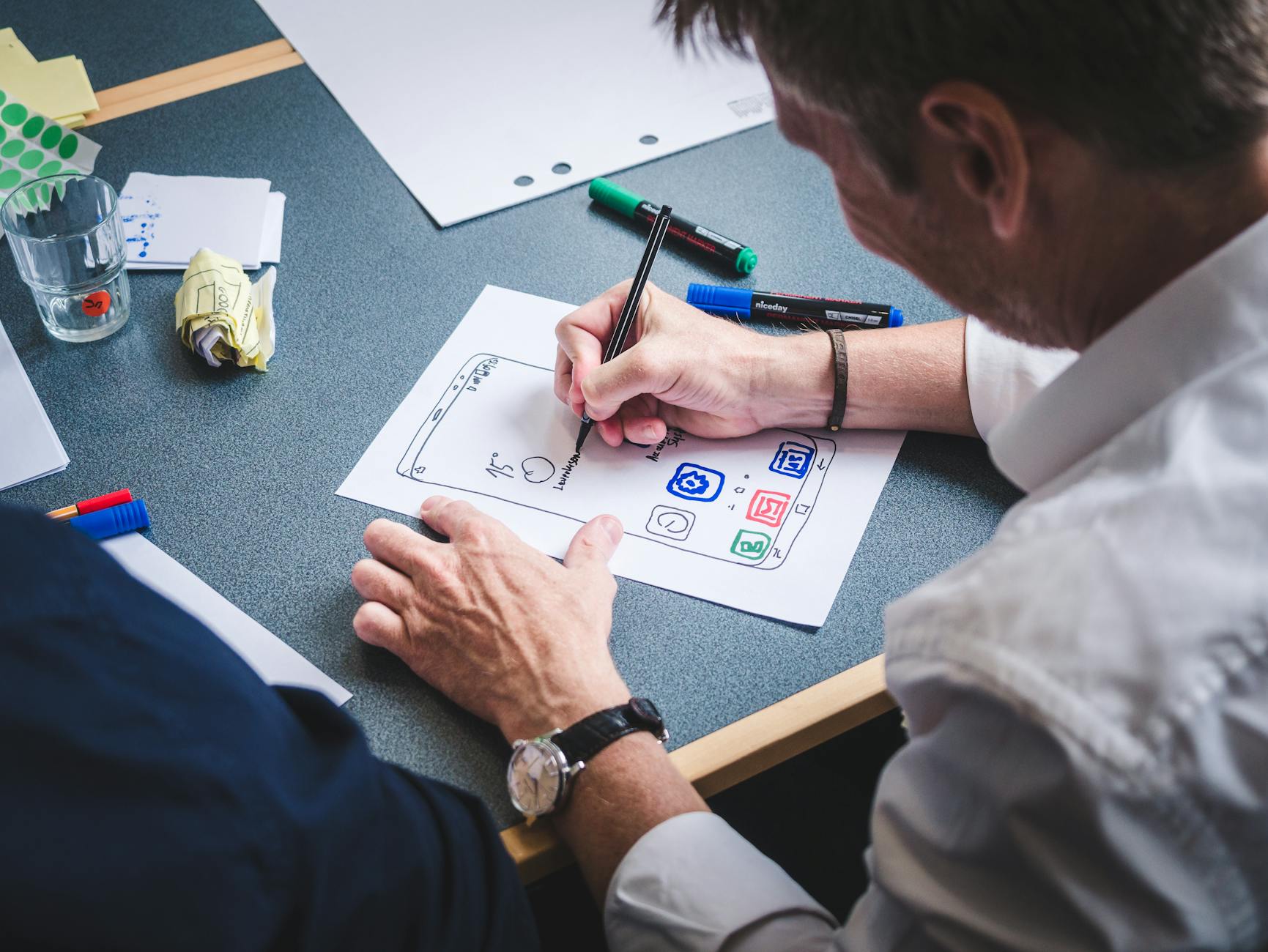
Before releasing any form of product to the public, it is essential to make sure it works as intended. Designers create paper prototypes as a tangible rough draft that allows experimentation and optimization to take place. In general, prototypes are a version of a product made with inexpensive materials that act as a test dummy for running experiments before the final version is produced and made available. By using inexpensive materials, designers can create several prototypes to gradually optimize their product or idea.
My Paper Prototyping Exercise
In recent weeks, I have proposed an updated site map for my town’s municipal website as well as a companion app to make finding resources easier for Maryville residents. This week, I updated my proposed app site map and created paper prototypes to illustrate how users would navigate the app.
When updating my site map, I kept navigation in mind. Because the app is targeted towards residents of all ages, I wanted to keep the layout simple and intuitive for any user. When designing for a wide audience, simplicity is key
Materials
Here’s what I used: Sketchbook paper, a pencil, scissors, and a photo editing app (to apply color overlays).
See, simple and inexpensive! Because I am creating a mobile app, I used my phone as a template to trace the size I would be creating my app elements in order to see it at the proper scale.
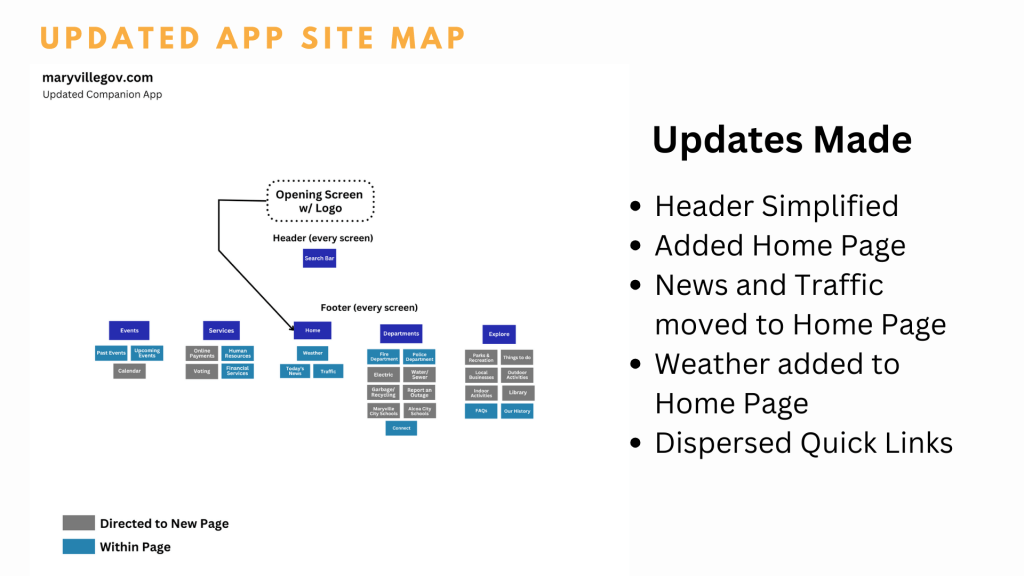
To create a more seamless flow for the app, I moved some elements around and got rid of others. Before, I had a crowded header. I decided to only include a search bar and have any other elements dispersed through the footer. I simplified the footer down to 5 functions by getting rid of the quick links; if the app does its job, everything will be a quick link!
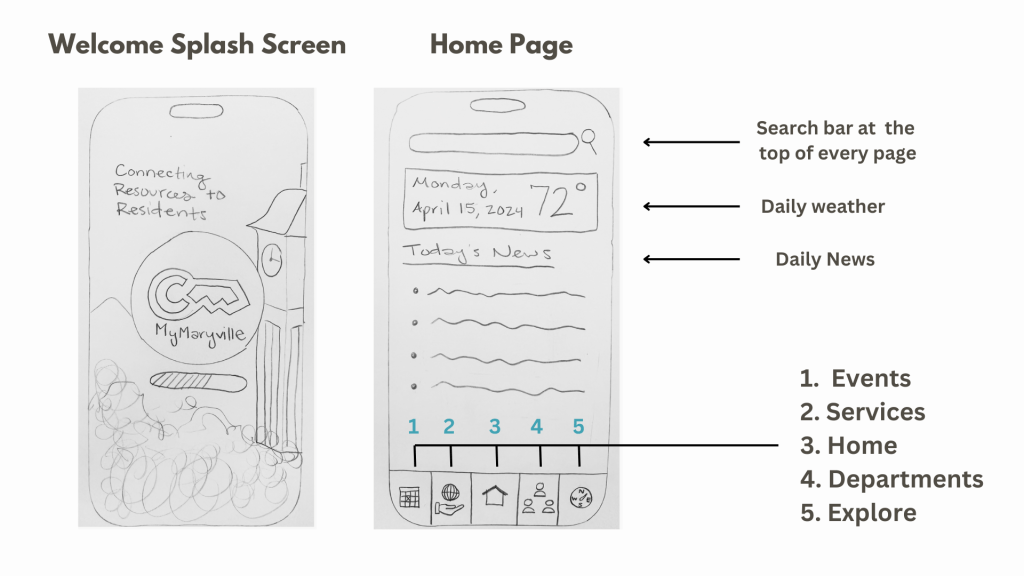
To begin, I sketched out the welcome splash page along with the main home screen that would appear after the app loads.
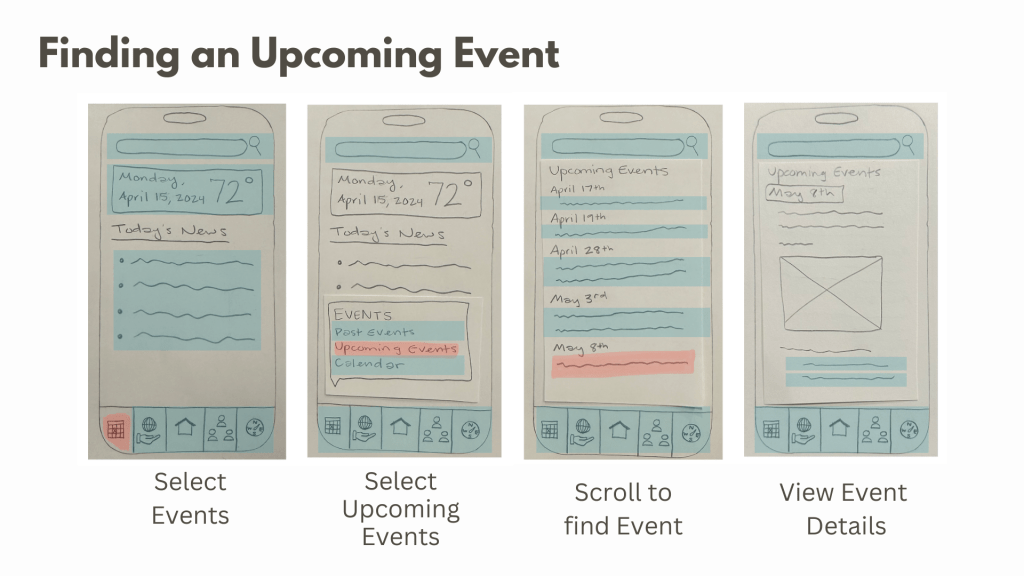
To explore the functionality of the app, I depicted the process of achieving certain goals, such as finding information on an upcoming event. For ease in navigation, most functions remain clickable at any point to allow users to quickly scan what the app has to offer.
Final Thoughts
This exercise helped me better understand how users would navigate the app I have proposed. I am very visual, so the tangible aspect of this exercise was key in allowing me to find any weak spots in my app. Working through the navigation in real time was beneficial for implementing the most intuitive functions.
To view more examples of my paper prototypes, click here.
 Rebecca Branton
Leave a comment