Recently, I was introduced to the world of project management. As I earn my masters in interactive media and communications, the practice of keeping myself and others on task is essential for my future aspirations. As a graphic designer, I keep track of my projects in my planner and on sticky notes, which isn’t the most effective at times. The team I work with is small, but having a program that keeps everyone updated on the status of a project sounds heavenly.
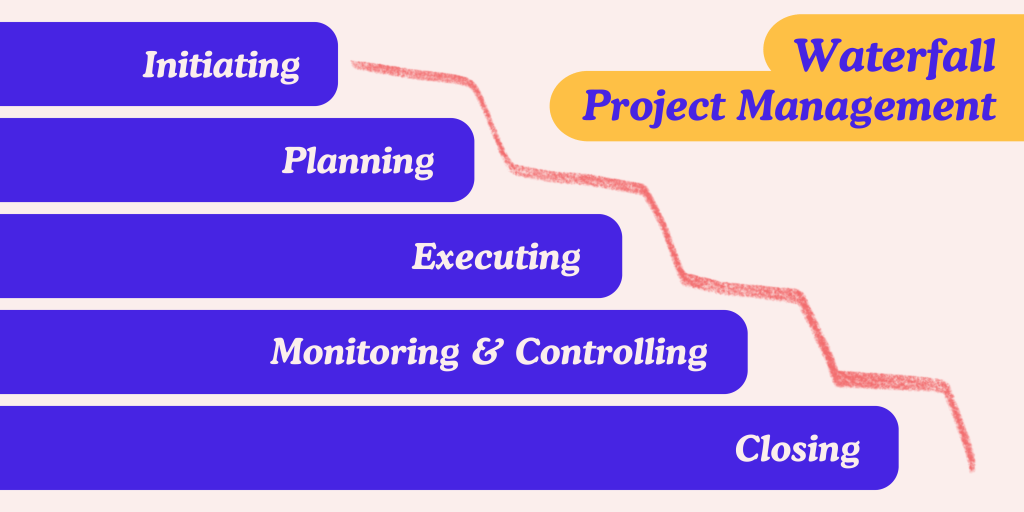
So, what is project management? It’s the process of supervising the work of a team to achieve all project goals within the given constraints. Simply put, you take all the factors and team members involved in a project and delegate tasks to best meet every objective. There are several routes you can take to manage a project; they typically vary depending on the goal of the project. A general structure that can be applied and altered by different fields is known as the waterfall project approach. This involves five steps: initiating, planning, executing, monitoring and controlling, and closing. From here, teams can adjust this process to cater to their needs and preferences.
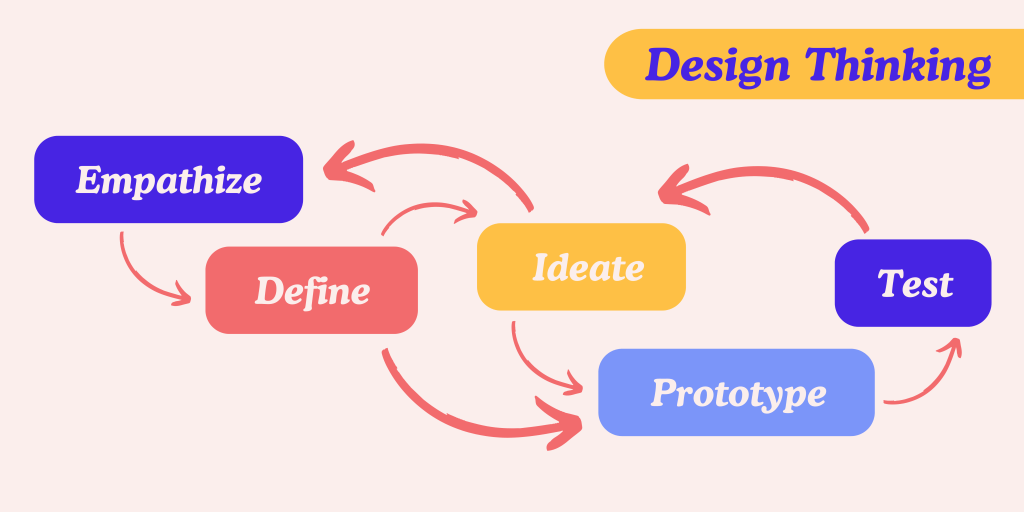
To my surprise, design thinking is a common structure for project management in creative fields. I’ve discussed this concept in a previous blog post, but never made the connection that it could be used to keep an entire team on track. I prefer this model because it holds space for empathy, which helps connect the developers to the users.
When it comes to software that can be used for project management, Agile software development is the term used for any platform that aims to help organize and facilitate projects. A team of 17 developers agreed upon four key values:
- Individuals and interactions over processes and tools
- Working software over comprehensive documentation
- Customer collaboration over contract negotiation
- Responding to change over following a plan
There are many options to choose from when it comes to Agile softwares. To choose which one I would test out, I did some research to find a platform that is approachable and easy to navigate by people of different skill sets and backgrounds. The one I decided to explore is Trello.
This program seemed the most visual, which I prefer. The layout is intuitive and allows for sections to be broken down into boxes. This approach is known as Kanban, a system created by an industrial engineer at Toyota to improve manufacturing efficiency. In this process, simple color-coded labels are used to signify the status of inventory. When done virtually, these labels serve as sections within a project.
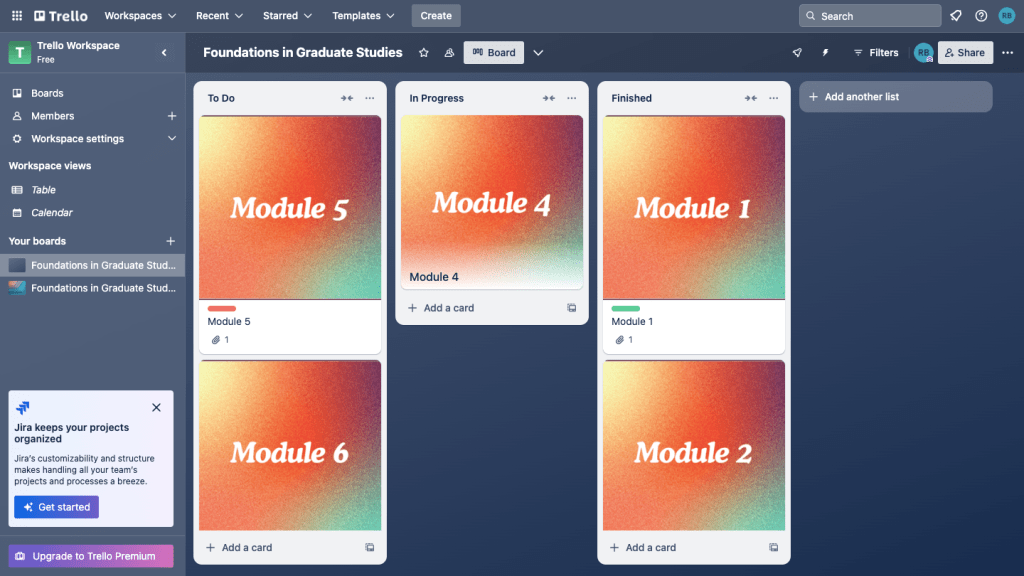
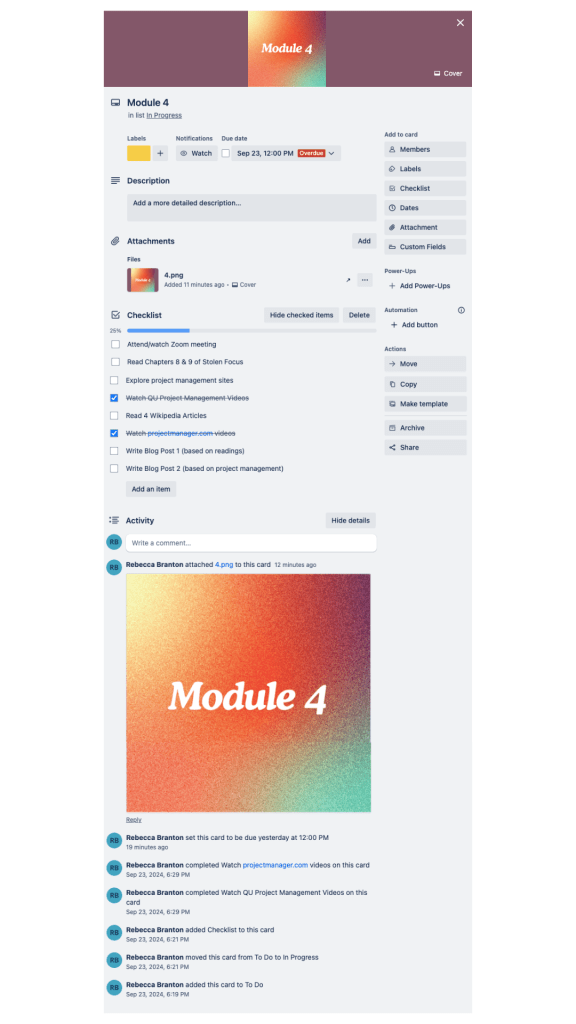
To test out this software, I created three sections: to do, in progress, and done. Under each module, I created a checklist including all specific tasks assigned. Unlike other Agile software layouts, images can be placed at the forefront of every module, making navigation easy for any user. Each section is easily movable once begun or completed.
Within each module, I can add due dates and invite collaborators. Activity updates are shown at the bottom, letting members know what others have accomplished. Because I customized this structure to serve my needs, I left off superfluous information. If there were more members on the platform, additional details can be added easily.
I enjoyed exploring the details of project management and hope to implement this at work for my team. If I enjoy Trello after using it for myself, I may create a new page where I can document projects and invite others to collaborate. Because this platform seems easily comprehensible, I think my team would understand it quickly and be happy to have project status updates all in one place.
 Rebecca Branton
Leave a comment